
How to Re-list a Deleted Ad
| How to Re-list a Deleted Ad on BisManOnline | |
If you've deleted an ad you previously posted on BisManOnline, but want to re-list it without having to go through the ad posting process again, you can just re-list your deleted ad. Follow these easy steps below to re-list one of your deleted your ads on BisManOnline.
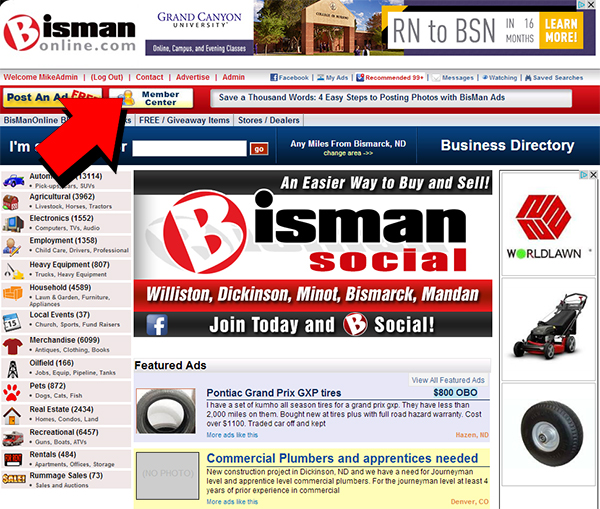
1.) First, you will want to login to your account if you haven't already done so. Next, click on your Member Center icon.
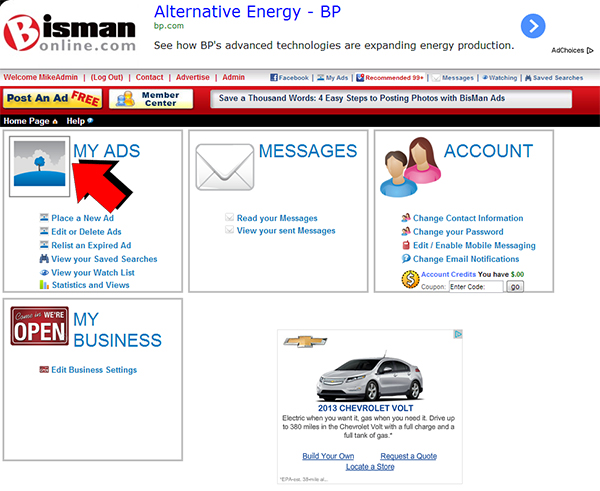
2.) Next, while you're in your Member Center, click on the "My Ads" icon.
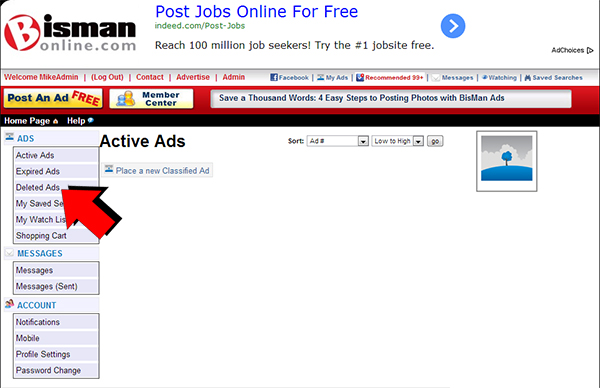
3.) Next, click on "Deleted Ads" on the left-side navigation bar to find a list of your deleted ads.
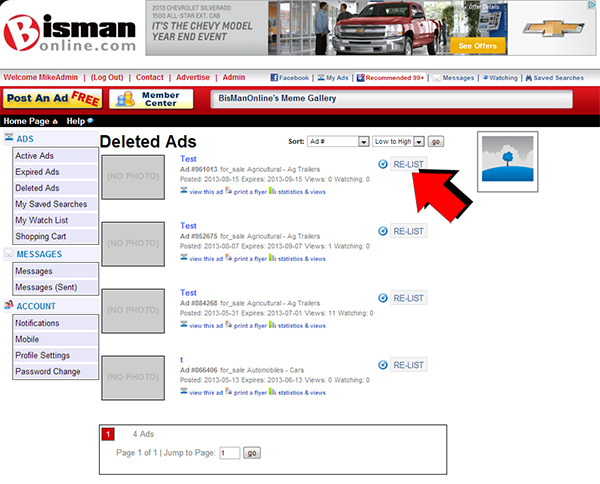
4.) Finally, you will see a list of ads you've deleted previously. Simply click on the "Re-List" button next to it, to re-list that ad. You can repeat this process as many times as you like for additional deleted ads in your list.
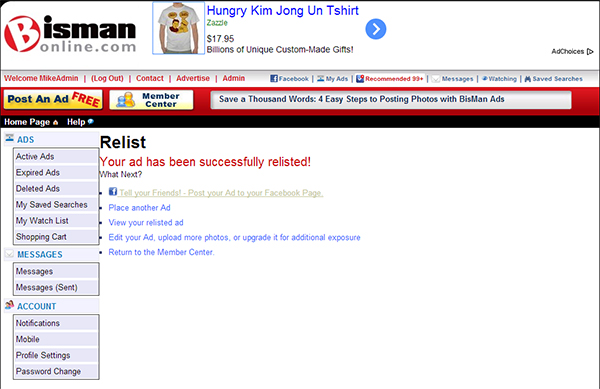
5.) You will know the process is complete when you're taken to the confirmation screen letting you know that your ad has been successfully re-listed.
 Share
Share